How to Submit Your Application | The AIR Opportunity Fund
Welcome to the AIR Opportunity Fund’s application support page. All applications for funding must be submitted through Submittable. Below, you’ll find instructions and a step-by-step video that guide you through the process.
Whether you’re new to Submittable or need a quick refresher, these resources are designed to help make the application process as seamless as possible.
If you have any questions or run into issues, don’t hesitate to reach out to our team. We’re here to support you every step of the way.
Step 1: Create Your Account
To get started, you’ll need a Submittable account.
If you already have an account:
Visit Submittable’s login page.
Click the Sign In tab and enter your email address and password.
If you don’t remember your password, use the Forgot Password link to reset it.
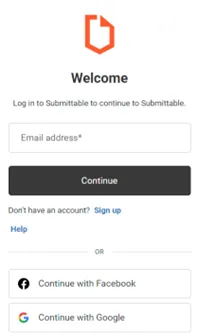
If you don’t have an account yet:
Visit Submittable’s login page and click the Sign Up link.
Enter your email address, first and last names, and a display name.
Create a password.
Click the button to send a verification email to yourself.
Enter the code from the email to complete your account setup.
Once you have submitted to an organization, you can check the status of your submission by logging in to your Submittable account.
Step 2: Submit Your Application
Follow the steps outlined in the video below to submit your application. Remember:
Each application will have specific questions tailored to the opportunity you’re applying for.
Questions marked with an asterisk (*) are required and must be completed before submission.
Save an Application
If you’re not ready to submit, click the Save Draft button at the bottom of the application form. You can return to your draft anytime by logging in to your Submittable account and accessing your control panel.